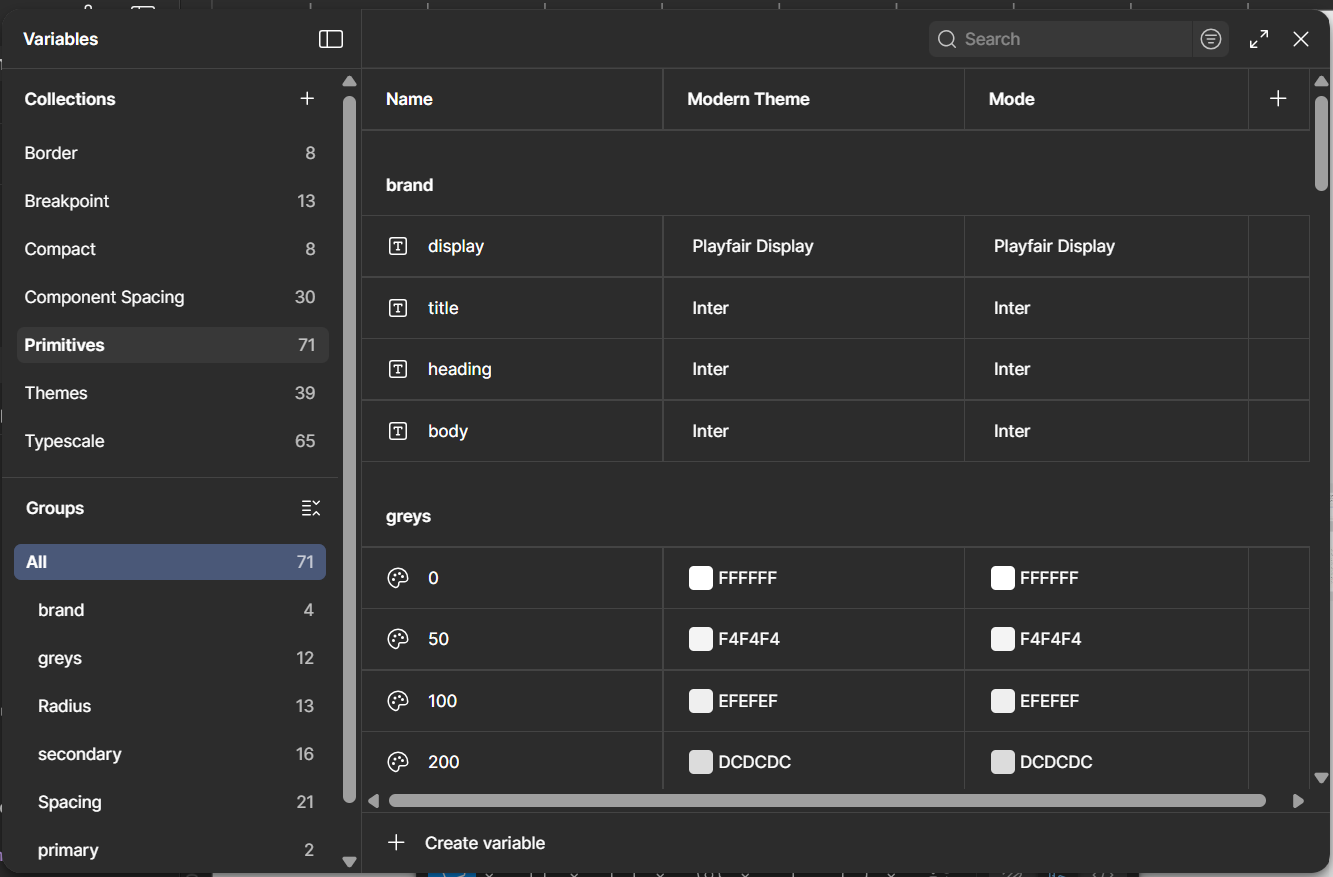
Primitives
Primitives are the raw values (tokens); the base colors, numbers, and scales that everything else is built on top of.
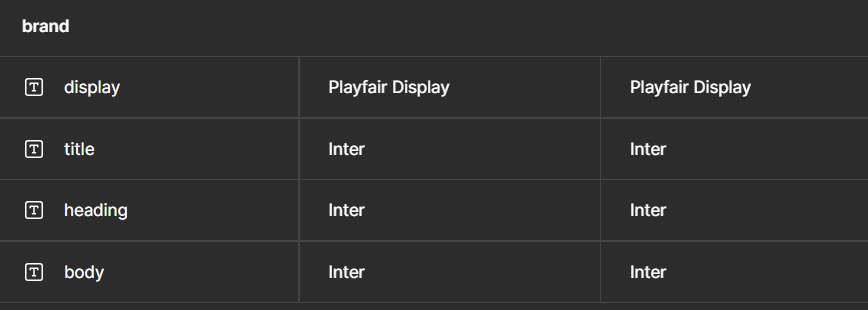
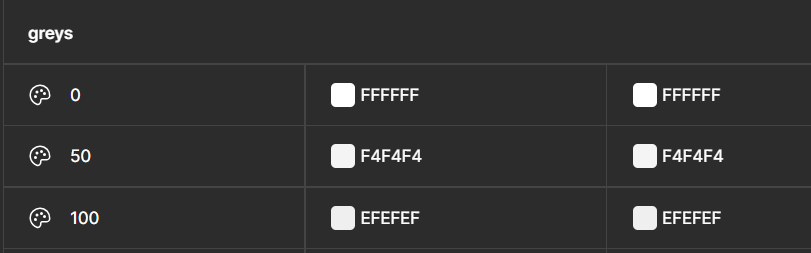
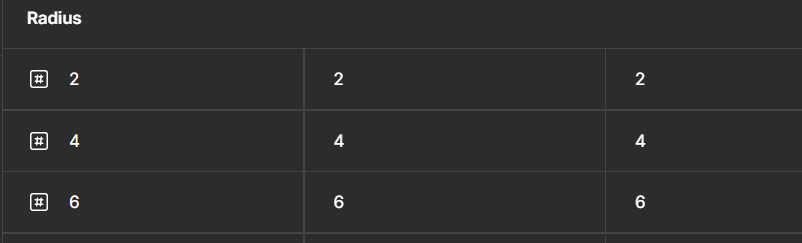
Inconsistency and slow turnaround are two big risks in design work. I built this system to directly address both by creating a reusable foundation that cuts ramp-up time and ensures quality holds across every client project.
As a designer, I could always pull foundations and components from past projects, but adapting them meant manually updating colors, typography, and styles every time.
I needed a system with linked variables, one where customizing for a new project takes minutes, not hours.
I studied Material 3, Porsche Design System, and Figma's Simple Design System not to copy, but to understand what makes a system work.
Material 3 - informed how I structured my token hierarchy
Porsche's documentation style - influenced my do's and don'ts approach
Figma's system - reminded me to keep things simple
I carried all three principles into how I built and documented this system.
The system is organized into 3 layers as demonstrated below;
Primitives are the raw values (tokens); the base colors, numbers, and scales that everything else is built on top of.
Foundations documents the core variables: color tokens, typescale, spacing, border radius, breakpoints, and themes, all built from the primitives.
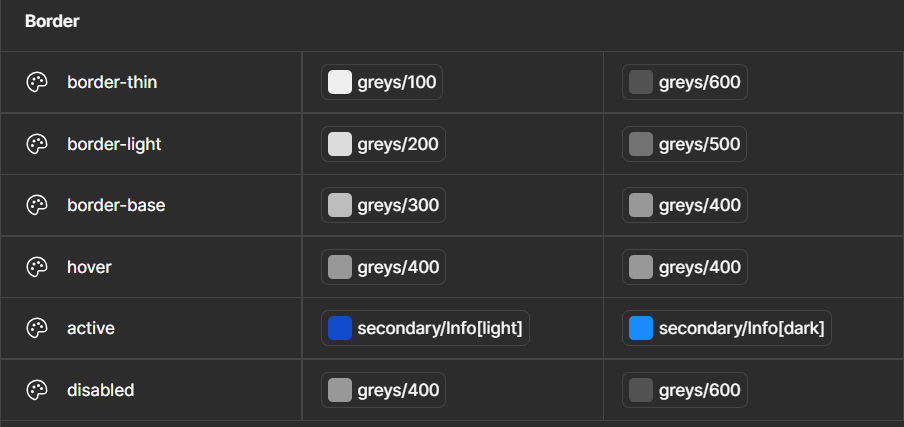
Components are built on top of those foundations, inheriting their variables so any customization at the token level flows through automatically.
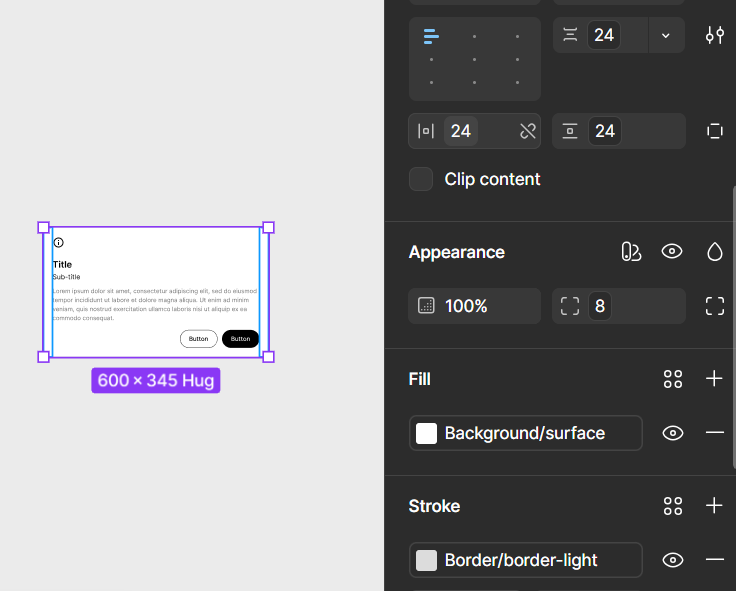
Primitives, foundations, and components structure means customizing for a new project happens at the token level and cascades through automatically. No manual updates, no rebuilding from scratch, consistency all through.
Since publishing the system on Figma Community, it has received 800+ views, 120+ usages, and 4 saves. Picked up by other designers without any promotion. However, with no comments or feedback so far, it's hard to know if users ran into friction.
My next step is to understand how designers are using the system and identify any pain points in their experience.
Click to explore the design system
Design Portfolio
Design system
Inconsistency and slow turnaround are two big risks in design work. I built this system to directly address both by creating a reusable foundation that cuts ramp-up time and ensures quality holds across every client project.
As a designer, I could always pull foundations and components from past projects, but adapting them meant manually updating colors, typography, and styles every time.
I needed a system with linked variables, one where customizing for a new project takes minutes, not hours.
I studied Material 3, Porsche Design System, and Figma's Simple Design System not to copy, but to understand what makes a system work.
Material 3 - informed how I structured my token hierarchy
Porsche's documentation style - influenced my do's and don'ts approach
Figma's system - reminded me to keep things simple
I carried all three principles into how I built and documented this system.
The system is organized into 3 layers as demonstrated below;
Primitives are the raw values (tokens); the base colors, numbers, and scales that everything else is built on top of.
Foundations documents the core variables: color tokens, typescale, spacing, border radius, breakpoints, and themes, all built from the primitives.
Components are built on top of those foundations, inheriting their variables so any customization at the token level flows through automatically.
Primitives, foundations, and components structure means customizing for a new project happens at the token level and cascades through automatically. No manual updates, no rebuilding from scratch, consistency all through.
Since publishing the system on Figma Community, it has received 800+ views, 120+ usages, and 4 saves. Picked up by other designers without any promotion. However, with no comments or feedback so far, it's hard to know if users ran into friction.
My next step is to understand how designers are using the system and identify any pain points in their experience.
Design Portfolio
Design system
Inconsistency and slow turnaround are two big risks in design work. I built this system to directly address both by creating a reusable foundation that cuts ramp-up time and ensures quality holds across every client project.
As a designer, I could always pull foundations and components from past projects, but adapting them meant manually updating colors, typography, and styles every time.
I needed a system with linked variables, one where customizing for a new project takes minutes, not hours.
I studied Material 3, Porsche Design System, and Figma's Simple Design System not to copy, but to understand what makes a system work.
Material 3 - informed how I structured my token hierarchy
Porsche's documentation style - influenced my do's and don'ts approach
Figma's system - reminded me to keep things simple
I carried all three principles into how I built and documented this system.
The system is organized into 3 layers as demonstrated below;
Primitives are the raw values (tokens); the base colors, numbers, and scales that everything else is built on top of.
Foundations documents the core variables: color tokens, typescale, spacing, border radius, breakpoints, and themes, all built from the primitives.
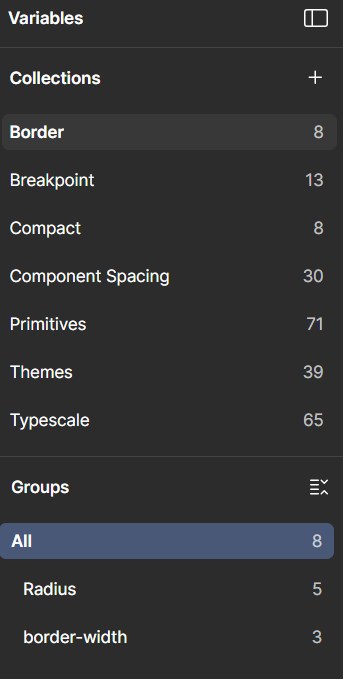
Components are built on top of those foundations, inheriting their variables so any customization at the token level flows through automatically.
Primitives, foundations, and components structure means customizing for a new project happens at the token level and cascades through automatically. No manual updates, no rebuilding from scratch, consistency all through.
Since publishing the system on Figma Community, it has received 800+ views, 120+ usages, and 4 saves. Picked up by other designers without any promotion. However, with no comments or feedback so far, it's hard to know if users ran into friction.
My next step is to understand how designers are using the system and identify any pain points in their experience.
Click to explore the design system→
Design portfolio
Design system